Results dashboard
Overview of exam performance
Results dashboard
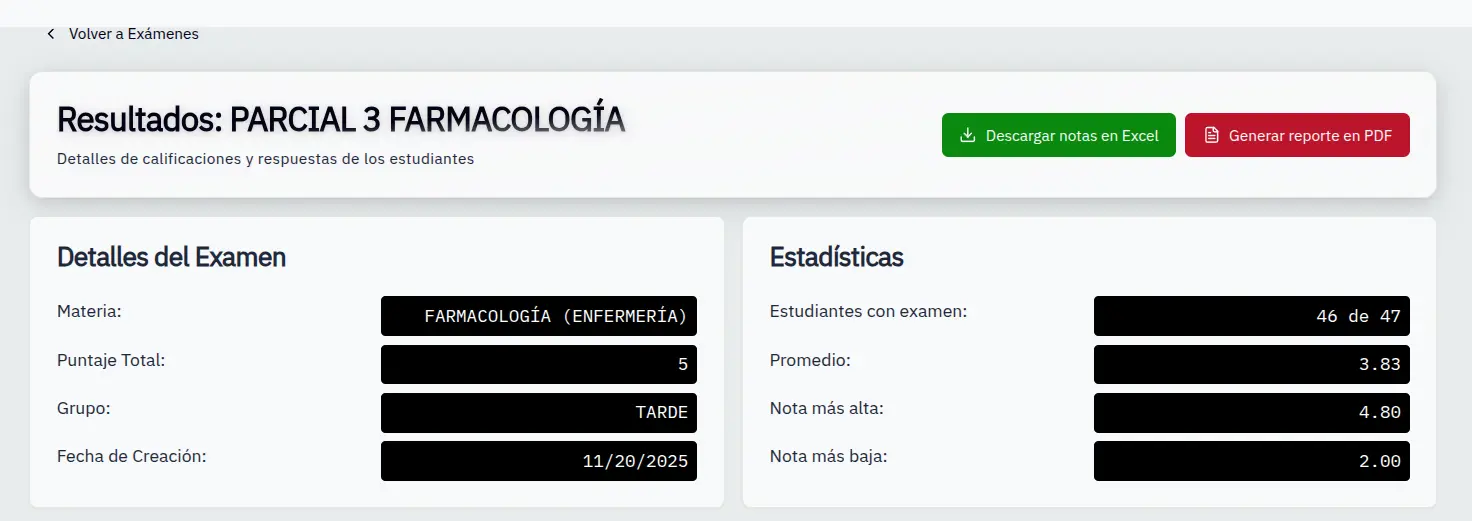
The dashboard shows a complete summary of exam results.
Access
- In Exams, select an exam
- Click View results
Exam information
At the top you'll see:
- Exam title
- Subject
- Total score
- Creation date
General statistics
| Metric | Description |
|---|---|
| Graded students | How many took the exam |
| Average | Group average grade |
| Highest grade | Best grade obtained |
| Lowest grade | Lowest grade obtained |
Select group
If the exam is assigned to multiple groups:
- Use the group selector
- Data updates automatically
- Your selection is remembered
The system remembers the last selected group for each exam.