Create subject
Add the subjects you teach
Create subject
A subject represents a course or class you teach.
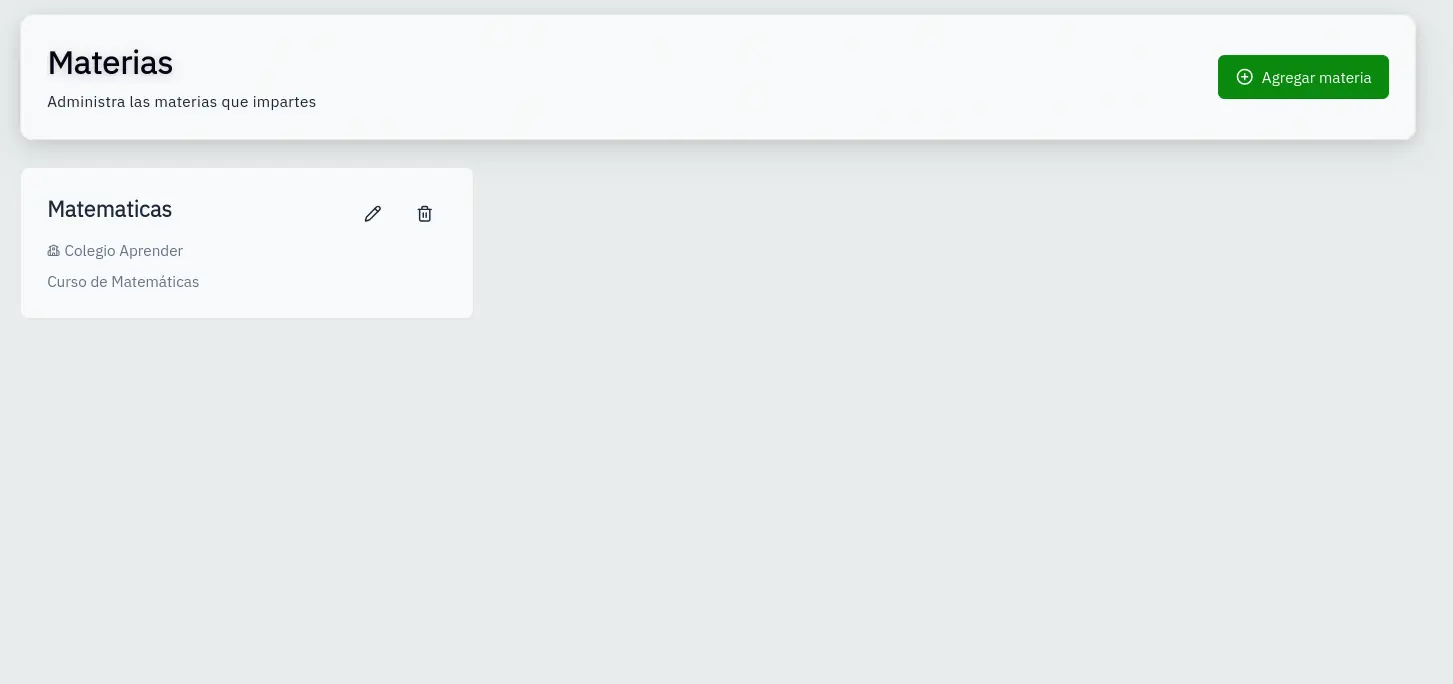
Access subjects
- In the sidebar, click Subjects
- You'll see your subjects displayed as cards
Add new subject
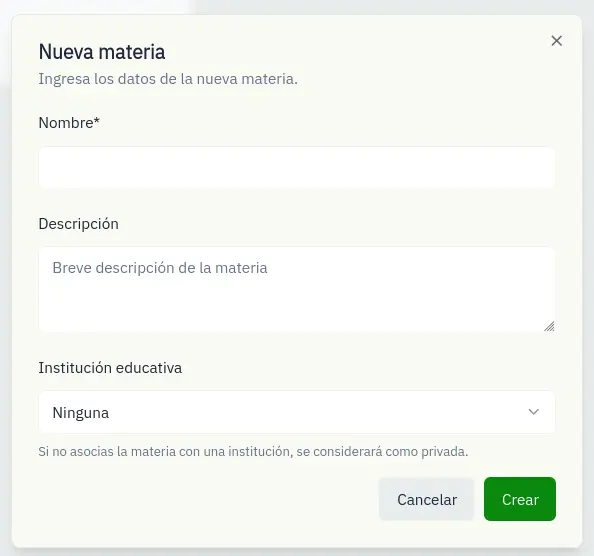
- Click the New Subject button
- Fill in the form:
- Name: Subject name (minimum 2 characters)
- Description: Optional description
- Institution: Select an institution (optional)
- Click Create
Edit or delete
Each card has buttons to:
- Edit: Modify name, description, or institution
- Delete: Remove the subject and associated data
Deleting a subject also deletes its groups, exams, and results.