Create group
Organize your student groups
Create group
A group represents a class or section of students.
Access groups
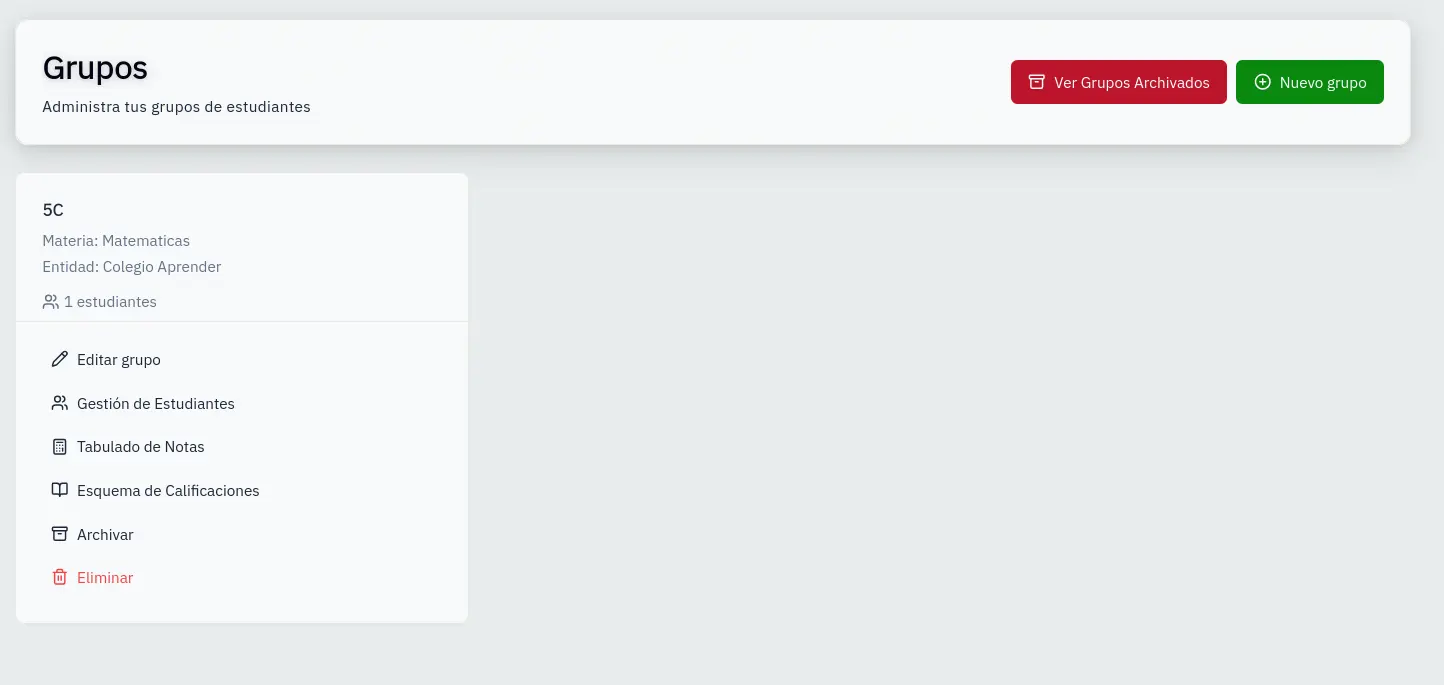
- In the sidebar, click Groups
- You'll see your groups displayed as cards
Add new group
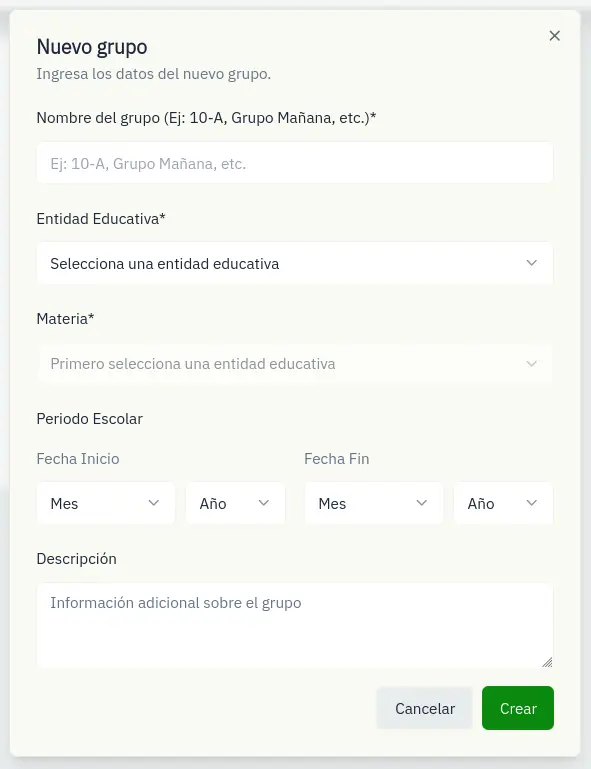
- Click the New Group button
- Fill in the form:
- Name: Group name (e.g., "3rd A")
- Institution: Select an institution
- Subject: Select a subject (filtered by institution)
- School period: Start and end dates (optional)
- Description: Optional description
- Click Create
Group actions
Each card has quick actions:
- Edit: Modify group data
- Students: Manage group students
- Grades: View the grades table
- Scheme: Configure the grading scale
- Archive: Hide the group without deleting
Archived groups
Use the Show archived button to view groups from previous periods. You can reactivate them at any time.
Archiving is better than deleting: you keep the data and can restore the group later.