Troubleshooting
Solve common scanning errors
Troubleshooting
Solutions for the most common scanning problems.
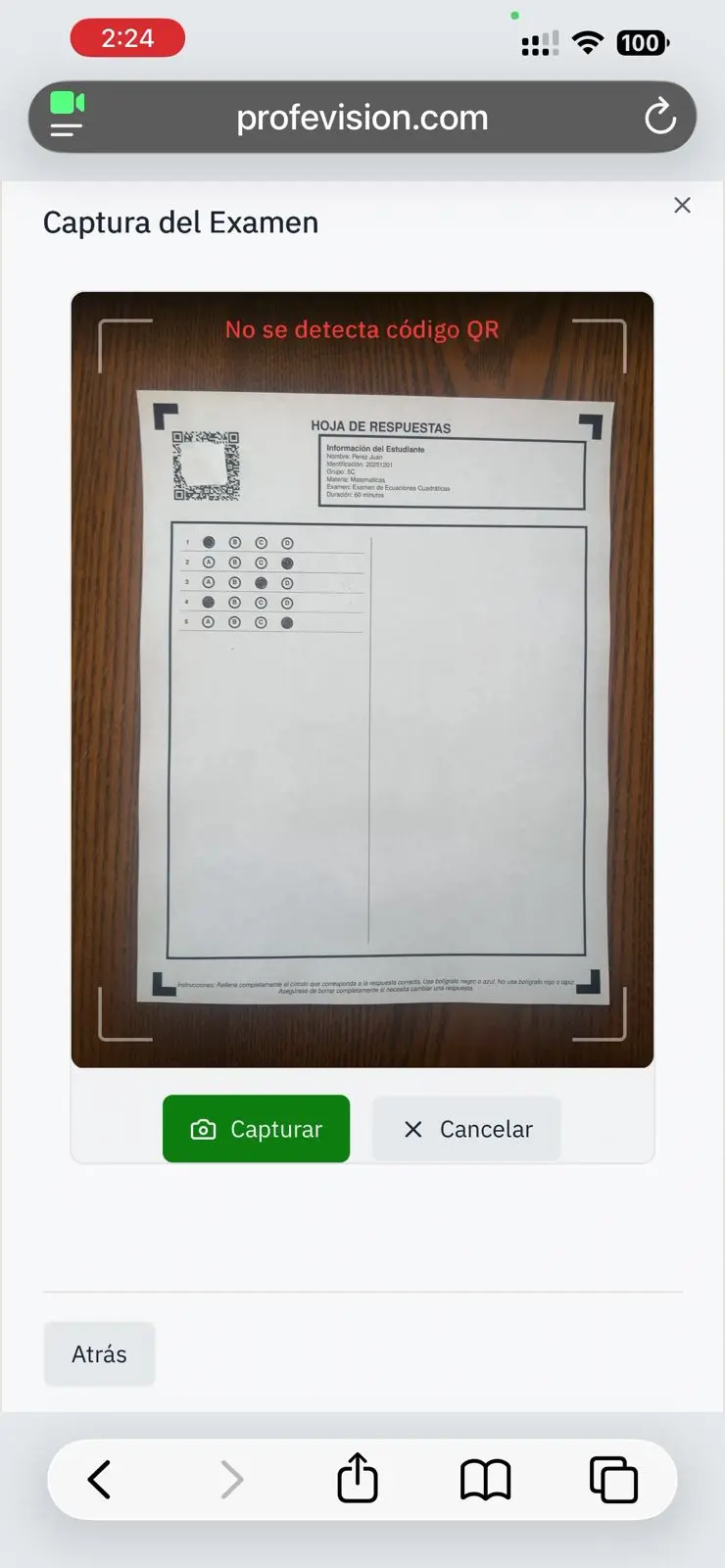
QR not detected
Symptom: "No exam detected"
Causes and solutions:
| Cause | Solution |
|---|---|
| QR cut off in photo | Ensure entire QR is visible |
| QR damaged or stained | Use another sheet or clean the QR |
| Blurry image | Keep phone stable |
| Low light | Improve lighting |
Incorrect answers
Symptom: Detected answers don't match marked ones
Solutions:
- Verify bubbles are fully filled
- Use darker pencil
- Improve lighting
- Avoid marks outside bubbles
Exam not found
Symptom: "This exam doesn't belong to you"
Causes:
- Exam was created by another teacher
- Sheet is from a different exam
Limit reached
Symptom: Can't scan more sheets
Solution: Upgrade to Plus for unlimited scans or wait for cycle reset.
Image too large
Symptom: Error saving due to image size
Solution: System compresses automatically, but if it persists:
- Take photo at lower resolution
- Get closer to the sheet
Slow processing
Symptom: Scan takes more than 10 seconds
Causes:
- Slow internet connection
- High server demand
Solution: Wait and retry if it fails.
If a problem persists, contact support with a screenshot of the error.