Save and continue
Save results and scan more sheets
Save and continue
After verifying, save the results and continue with more sheets.
Save results
- Check that everything is correct
- Click Save
- Wait for confirmation
Confirmation
You'll see a success message when results are saved.
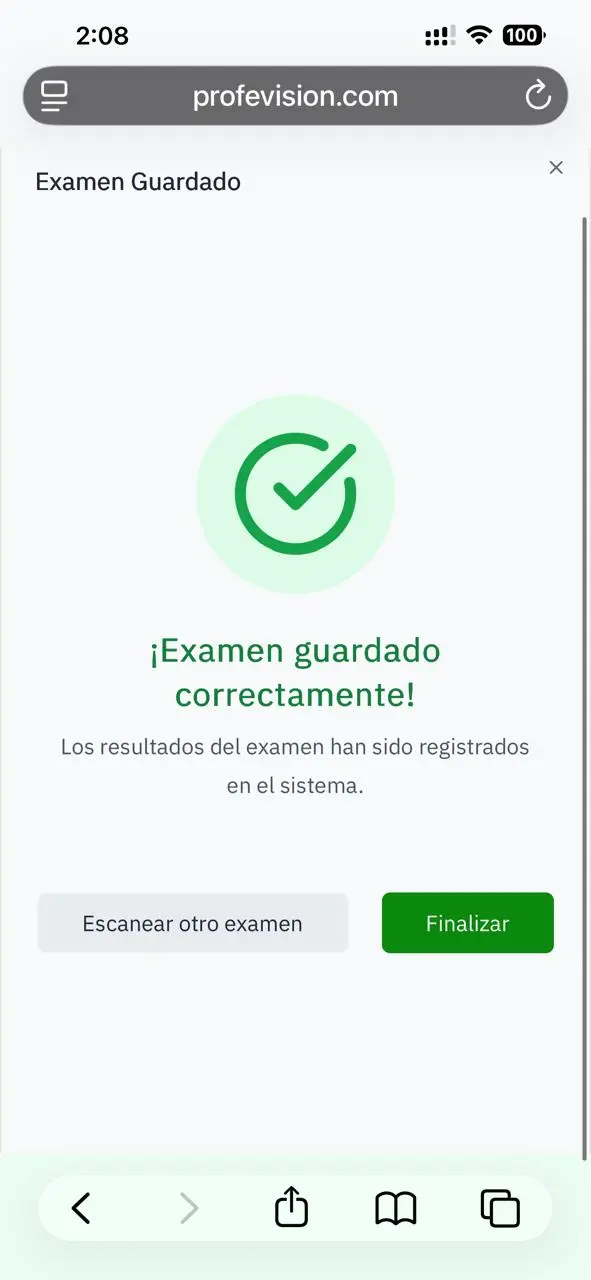
Options after saving
| Option | Action |
|---|---|
| Scan another | Returns to image capture |
| Finish | Closes the scanner |
Scanning multiple sheets
To scan several sheets in a row:
- Save the first sheet
- Click Scan another
- Repeat the process
- When done, click Finish
Duplicates
If you scan a sheet that was already scanned:
- System detects the duplicate
- You can choose to update or cancel
- Previous results are replaced if you update
The system saves the scanned image as reference. You can view it in the exam results.