Review results
Verify detected answers
Review results
After processing, verify that answers were detected correctly.
Information shown
You'll see the scan data:
- Student: Name and identification
- Exam: Title and subject
- Group: Student's group
- Grade: Score obtained
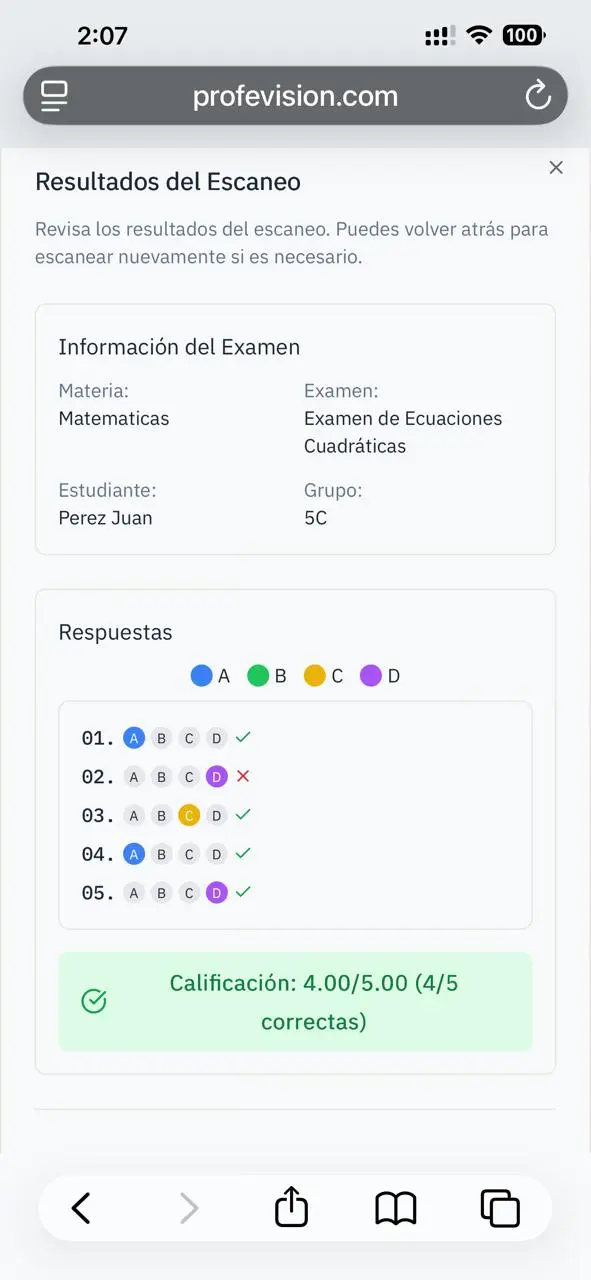
Detected answers
Bubbles show detected answers:
- Blue: Answer marked by student
- Green: Correct answer
- Red: Incorrect answer
Correct answers
If an answer was detected incorrectly:
- Click on the correct bubble
- The answer updates
- The grade recalculates
Manual corrections are rarely needed. If it happens frequently, check print quality and lighting conditions.
Verify grade
The grade is calculated automatically: