Initial task list
Complete your first guided tasks
Initial task list
After the setup wizard, a floating list appears that guides you to complete your first exam.
Location
- Desktop: Right sidebar (expandable/collapsible)
- Mobile: Bottom bar (above the scan button)
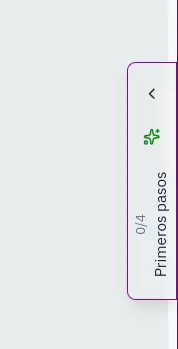
The 4 tasks
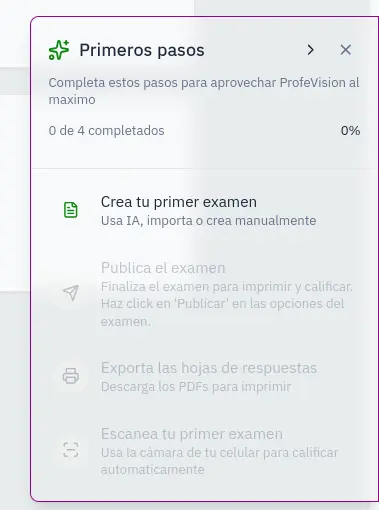
Complete these tasks in order:
| # | Task | Action |
|---|---|---|
| 1 | Create exam | Import a document or use AI chat |
| 2 | Publish exam | Change status from draft to published |
| 3 | Export PDF | Download answer sheets |
| 4 | First scan | Scan a sheet with the camera |
Progress
- Progress bar shows your advancement
- Completed tasks appear crossed out with ✓
- You can only do the next task in order
Create your first exam
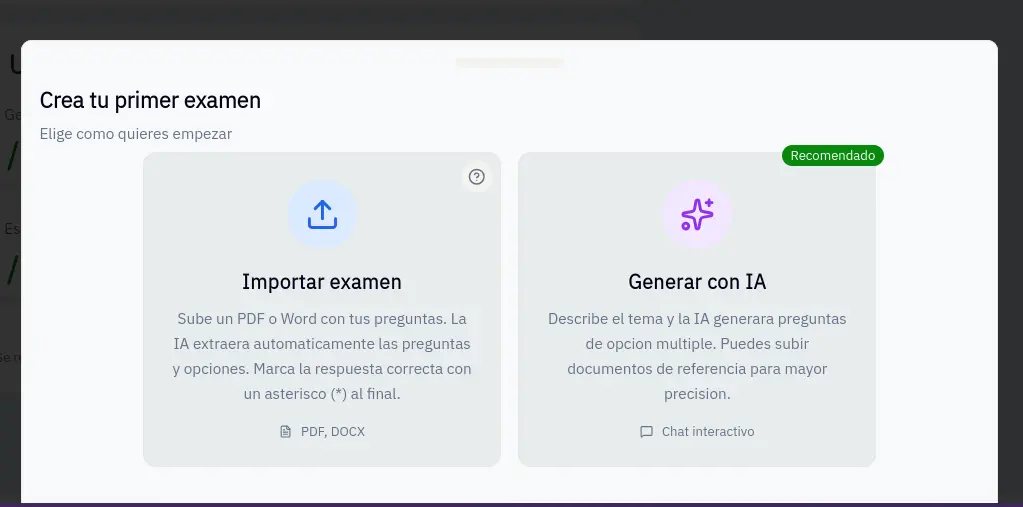
When clicking "Create exam":
- A panel opens with options
- Import PDF/Word: Upload an existing exam
- Create with AI: Chat with AI to create it
Hide the checklist
- Click the X to minimize
- Reappears when changing pages until first 3 tasks complete
- Disappears permanently when all tasks are done
This guide takes you from zero to grading your first exam in minutes.