Dashboard overview
Learn about the main areas of the dashboard
Dashboard overview
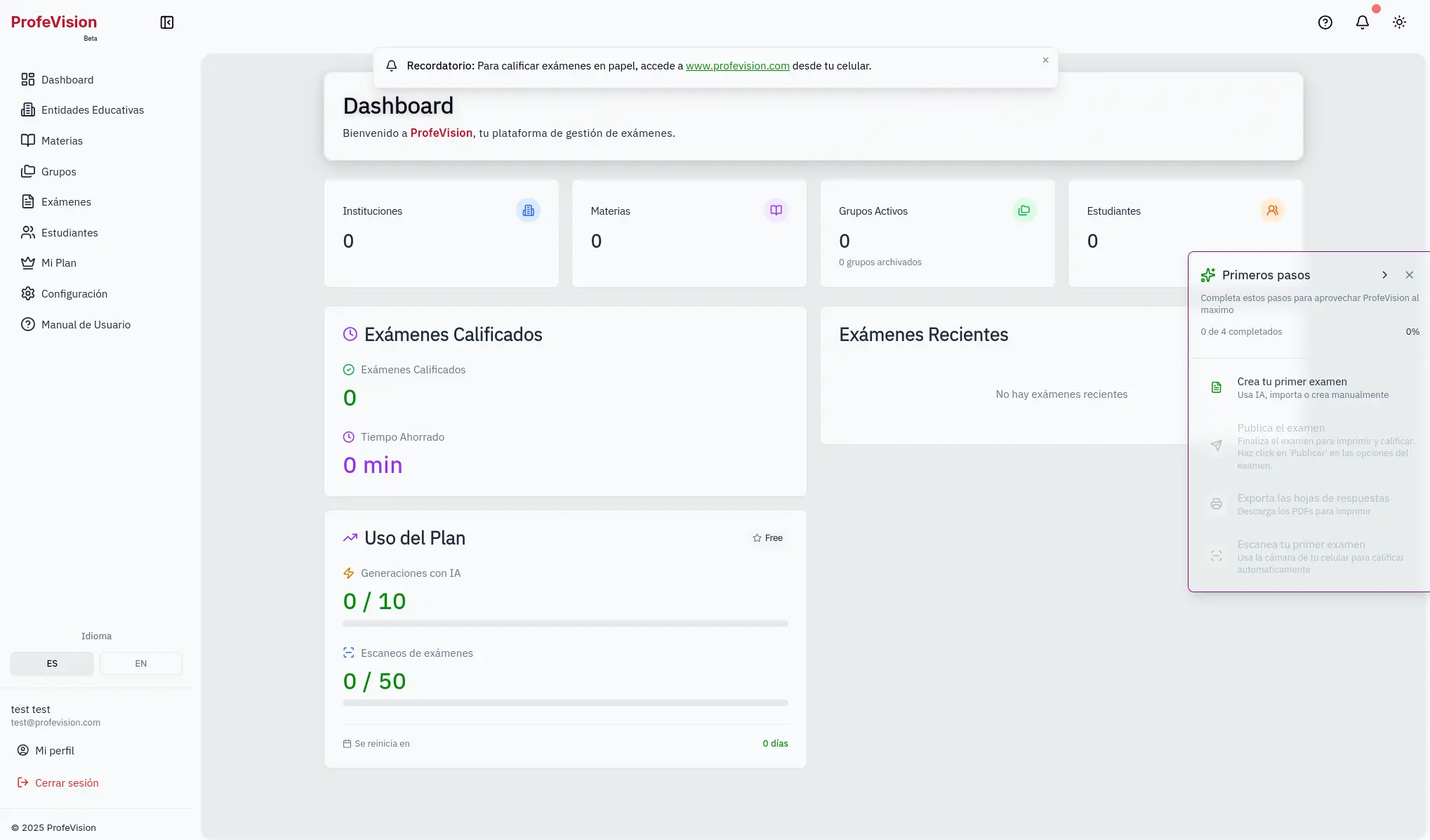
The dashboard is your operations center in ProfeVision.
Sidebar
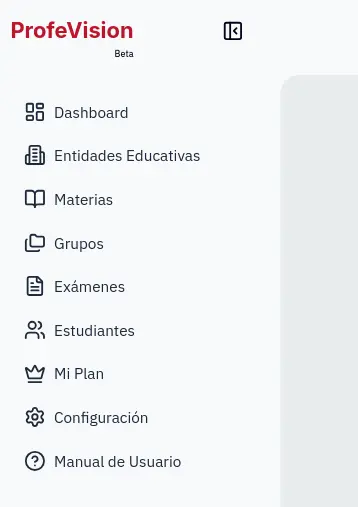
The left sidebar contains the main navigation:
- Dashboard: Overview and statistics
- Institutions: Manage your educational institutions
- Subjects: Manage your subjects
- Groups: Organize your student groups
- Exams: Create and manage exams
- Students: Manage students
- My Plan: View your subscription and limits
- Settings: Account settings
Main statistics
At the top you'll see 4 cards with:
- Total institutions
- Total subjects
- Active groups (and archived)
- Total students
Grading section
Shows your grading progress:
- Graded exams
- Time saved
- Efficiency
Plan usage
Indicates your current consumption:
- AI generations used
- Exam scans used
- Days until cycle reset
Recent exams
List of your last 5 exams with quick access to edit or view results.
Scan button
The floating button in the bottom right corner allows you to quickly scan exams.
You can collapse the sidebar by clicking the panel icon at the top.