Similar exam
Generate exam variants with AI
Similar exam
Generate a new version of an existing exam using artificial intelligence.
When to use
- You need multiple versions of an exam
- You want to prevent students from copying
- You want to practice with similar variations
Access
- In Exams, find the base exam
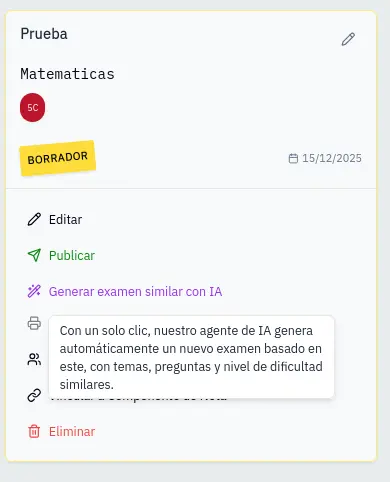
- Click the Create similar exam button (wand icon)
Generation process
With a single click, AI starts automatically.
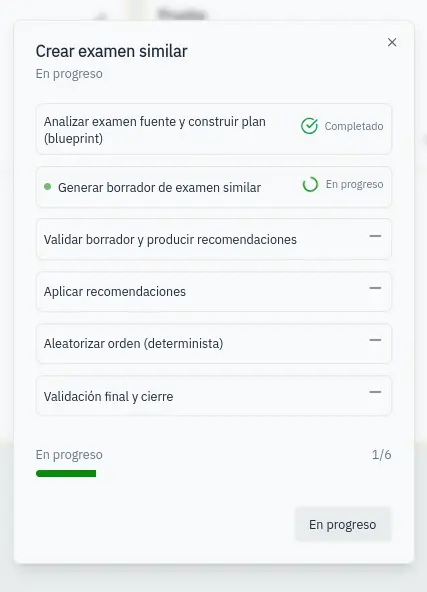
AI executes 6 steps:
- Analyze: Reads the original exam
- Generate: Creates similar questions
- Validate: Checks quality
- Apply: Adjusts recommendations
- Randomize: Shuffles question order
- Finalize: Prepares the draft
You'll see real-time progress.
Result
On completion:
- A new exam is created as draft
- It opens automatically for editing
- Review and adjust generated questions
The similar exam maintains the structure and difficulty of the original but with different questions.